Shenzhen Xingtong IOT Technology Co., Ltd.
Barcode Scanner Manufacturer with development & Invention ability

Many OEM engineers assume that placing a barcode scanner behind a glass panel is straightforward.
In reality, a large number of barcode reading failures are not caused by the scanner itself, but by improper mechanical design.
If your kiosk, payment terminal, or self-service machine struggles to read QR codes through glass, check these five points before replacing the scanner.
1. Is the Glass Too Thick?
Glass thickness directly affects image quality.
As the glass becomes thicker, reflections and refraction increase, making it more difficult for the scanner to capture a clear image.
For most kiosk applications, 3–5 mm tempered glass is commonly used and generally provides reliable scanning performance.
If your device uses thicker laminated glass, it is important to verify compatibility during the prototype stage.
2. Is the Camera Too Far from the Glass?
One of the most common design mistakes is leaving too much space between the camera and the glass window.
Many engineers assume that a larger gap provides more flexibility.
In practice, excessive distance increases internal reflections and reduces image contrast.
For the best results, the scan window should be positioned as close to the glass as the module design allows.
3. Is There Ambient Light Entering the Device?
Strong sunlight or overhead lighting entering through the side of the scanning window can reduce decoding performance.
This problem is especially common in:
Outdoor kiosks
Ticket vending machines
Self-service payment terminals
A simple internal light shield or proper enclosure design can often solve the issue.
4. Is the Glass Too Dark?
Modern kiosks often use black glass for a cleaner industrial design.
However, decorative coatings, ceramic printing, or dark tinted glass may reduce the amount of light reaching the image sensor.
Before finalizing the enclosure, always test the scanner with the actual production glass instead of a clear acrylic prototype.
5. Did You Choose the Right Scanner Resolution?
Not every application requires a high-resolution sensor.
However, if your device needs to read:
Small QR codes
Mobile phone screens
Dense Data Matrix codes
Low-contrast labels
A higher-resolution sensor provides more image detail and generally improves reading reliability.
This becomes even more important when the scanner is installed behind glass.
What Makes Integration Easier?
Besides scanning performance, hardware engineers should also consider installation.
For kiosk and terminal manufacturers, an embedded scan engine that offers:
Split camera architecture
Compact dimensions
Glass window compatibility
USB, TTL and RS232 interfaces
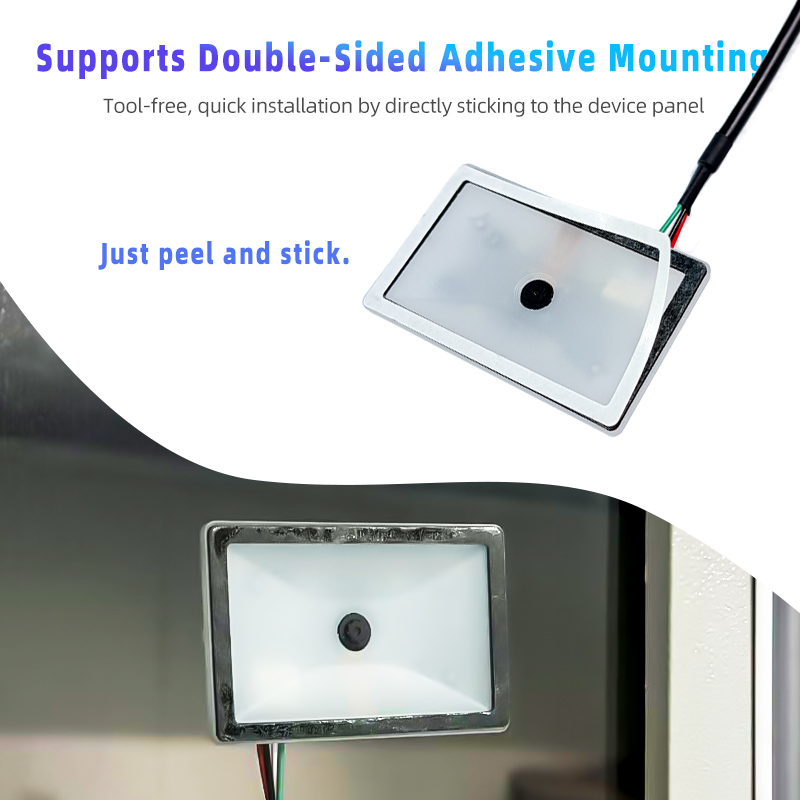
Flexible mounting options
can significantly reduce development time and simplify mechanical design.
These features allow engineers to optimize internal layouts without redesigning the entire enclosure.
Frequently Asked Questions
Can all barcode scanners work behind glass?
No. Scanning performance depends on the optical design, glass material, installation distance, and ambient lighting conditions.
Does thicker glass always reduce performance?
Not always, but thicker or coated glass increases the chance of reflections and image degradation.
Should the scanner touch the glass?
No. A small installation gap is normal, but excessive distance should be avoided.
Why does the scanner work during testing but fail after final assembly?
In many cases, the prototype is tested without the final production glass, decorative coating, or internal lighting conditions. Final validation should always be performed using production materials.
Conclusion
When barcode reading fails behind glass, replacing the scanner is not always the solution.
In many projects, the real cause is mechanical integration.
By selecting an embedded barcode scanner designed for glass window installation and following good enclosure design practices, OEM manufacturers can achieve stable scanning performance while maintaining a clean industrial appearance.


