Shenzhen Xingtong IOT Technology Co., Ltd.
Barcode Scanner Manufacturer with development & Invention ability

Why HID Keyboard Mode Matters
HID (Human Interface Device) keyboard mode allows a scanner to function like a standard keyboard—data is sent directly into whatever software field currently has focus. This eliminates the need for custom drivers, SDK integration, or complex programming. For businesses deploying passport scanners at hotel front desks, airport counters, and border control stations, HID mode enables instant setup and immediate use with existing software.
XTIOT Passport Scanners with HID Keyboard Mode
XTIOT passport scanners are designed with USB-HID (keyboard emulation) support, making them compatible with virtually any application that accepts keyboard input.
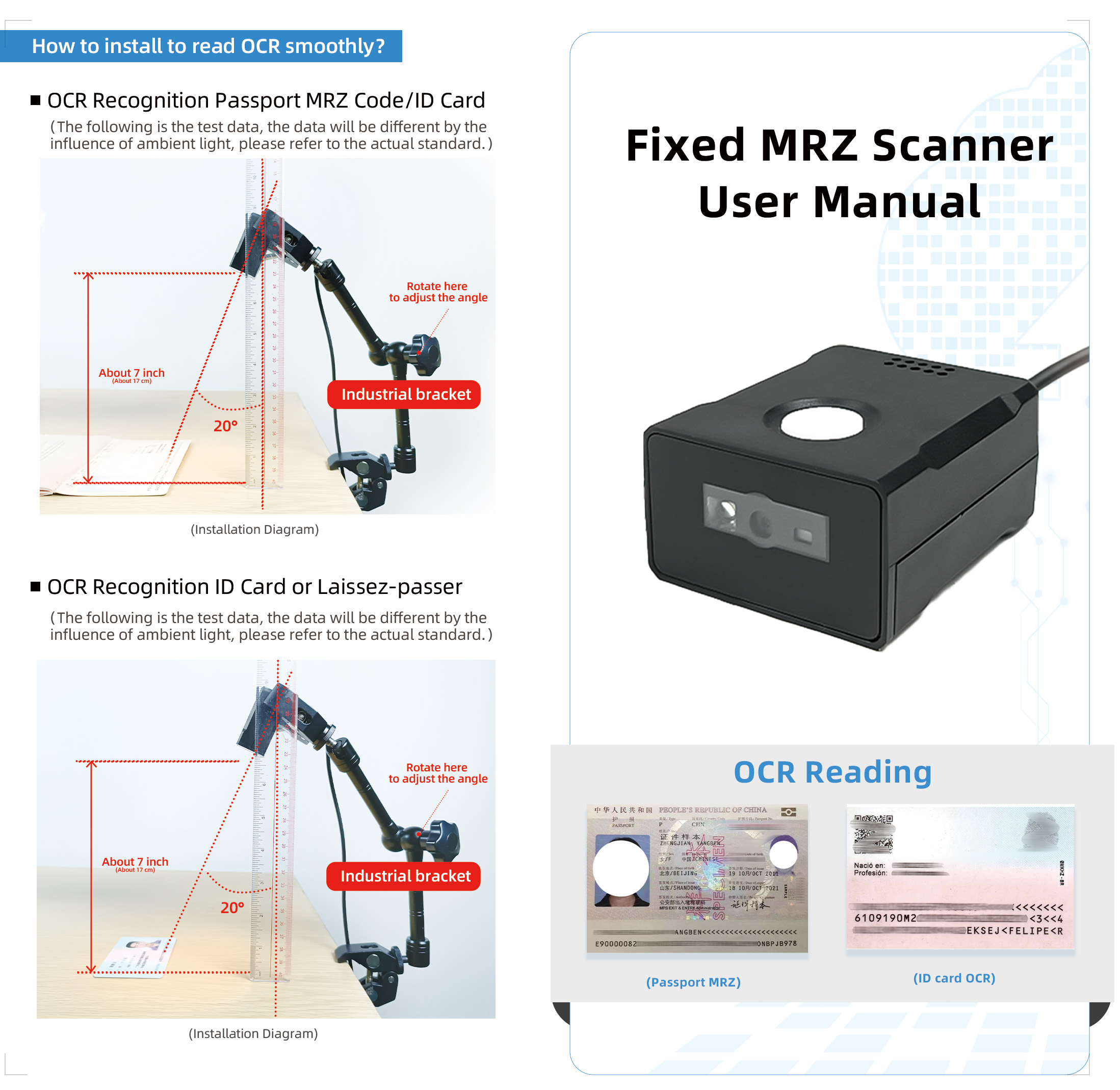
XT2010MRZ – USB-HID Keyboard Emulation
The XT2010MRZ supports USB-HID (keyboard emulation) mode, also referred to as USB-keyboard . Under USB, it offers both:
| USB Mode | Description | Use Case |
|---|---|---|
| USB-HID (Keyboard) | Scanner behaves as a keyboard; data appears as typed text | Plug-and-play with any software |
| USB-VCOM (Virtual COM) | Scanner behaves as a serial device | Custom software integration |
How HID Mode Works:
Connect the XT2010MRZ to a computer via USB
The system recognizes it as a standard USB keyboard
Open any application—PMS, text editor, browser, spreadsheet
Scan a passport—MRZ data appears as if typed
No Special Software Required:
No driver installation
No SDK needed for basic operation
Works immediately with existing hotel, airport, and government software
Key Specifications:
| Feature | Specification |
|---|---|
| Interface | USB HID, USB VCOM, USB HID POS, TTL, RS232 |
| Default Mode | USB-keyboard (HID) |
| OS Support | Windows, Android, Linux, MAC OS |
| Scan Speed | 300 scans/sec |
| Image Sensor | 1280×800 CMOS |
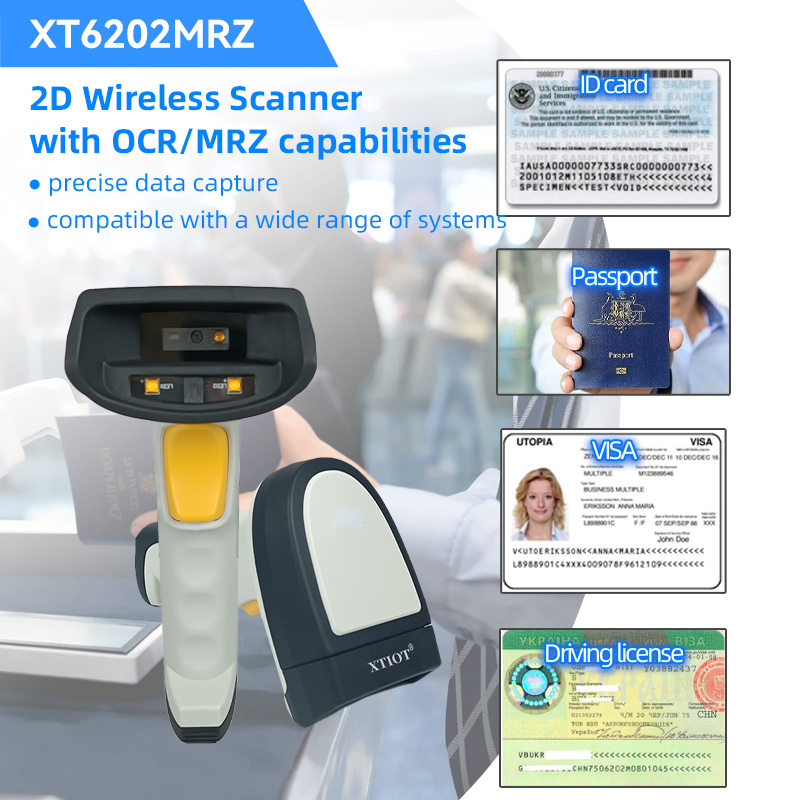
XT6202MRZ – Wireless HID Keyboard Mode
The XT6202MRZ wireless passport scanner supports Bluetooth HID and 2.4G wireless HID modes, enabling keyboard emulation without cables.
How Wireless HID Works:
Pair scanner via Bluetooth or plug USB dongle into computer
Scanner connects as a wireless keyboard
Open any application
Scan a passport—data appears instantly
Key Specifications:
| Feature | Specification |
|---|---|
| Connection | 2.4G wireless, Bluetooth 4.0 |
| HID Support | Bluetooth HID, 2.4G HID (keyboard emulation) |
| Recognition Speed | 0.3 seconds per scan |
| Wireless Range | 2.4G: 100m, BT: 50m (open space) |
| Battery | 2000mAh |
Ideal For:
Airport duty-free shops
Hotel front desks
Currency exchange counters
Any environment where cables are inconvenient
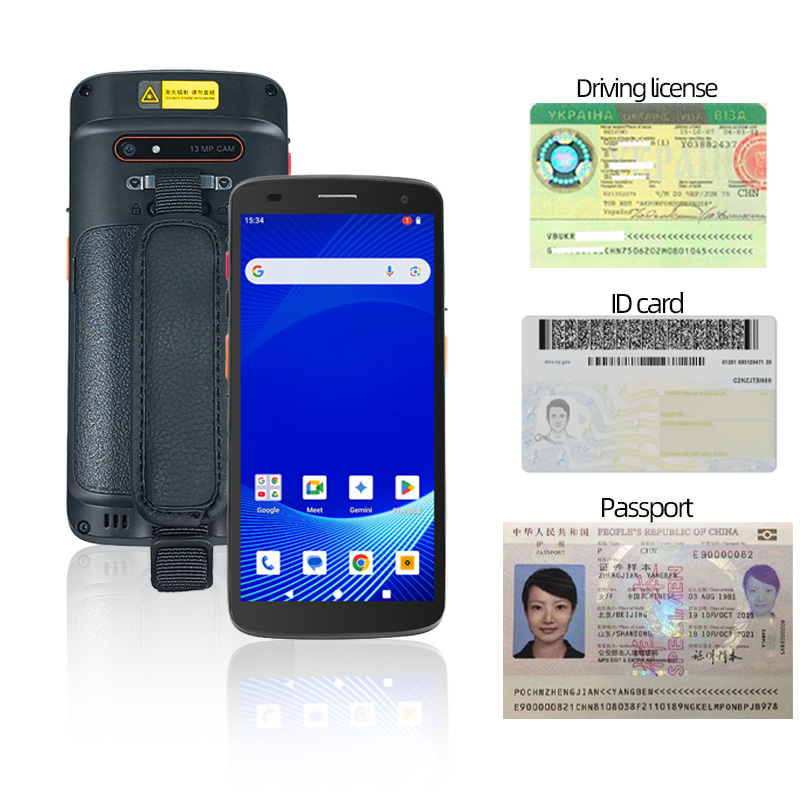
XT8002C – Android with HID Peripheral Support
The XT8002C Android PDA can act as an HID host for peripheral scanners, or its built-in scanner can send data to Android applications via standard input methods.
HID Flexibility:
Built-in scanner works with any Android app that accepts keyboard input
Supports Bluetooth HID for connecting external peripherals
SDK available for custom integration when needed
How HID Mode Simplifies Deployment
Hotel Front Desk
Without HID Mode: Staff manually types passport numbers—errors occur, check-in takes minutes.
With XT2010MRZ HID Mode: Staff scans passport; MRZ data auto-populates PMS fields as if typed. Check-in takes seconds.
Airport Check-in Counter
Without HID Mode: Complex integration with airline systems required.
With XT2010MRZ HID Mode: Scanner connects via USB; works with existing check-in software immediately—no IT support needed.
Car Rental Counter
Without HID Mode: Staff manually enters driver's license and passport information.
With XT6202MRZ Wireless HID: Wireless scanner sends data directly into rental software fields; faster processing, fewer errors.
Government Service Center
Without HID Mode: Custom drivers required for each workstation.
With XT2010MRZ HID Mode: Plug into any PC; scanner works instantly with existing government software.
HID Mode vs. Other Output Methods
| Output Method | Description | Best Use | Setup Complexity |
|---|---|---|---|
| USB-HID (Keyboard) | Data sent as keyboard input | Plug-and-play with any software | None |
| USB-VCOM (Serial) | Data sent as serial stream | Custom software integration | Driver required |
| RS232 | Serial communication | Legacy systems, industrial equipment | Configuration needed |
| Bluetooth HID | Wireless keyboard emulation | Mobile, cable-free environments | Pair once |
Comparison: XTIOT HID Keyboard Support
| Product | USB-HID | Bluetooth HID | 2.4G HID | Best Application |
|---|---|---|---|---|
| XT2010MRZ | ✓ | — | — | Fixed counters, plug-and-play |
| XT6202MRZ | — | ✓ | ✓ | Wireless, mobile environments |
| XT8002C | ✓ (via USB) | ✓ (as host) | — | Android PDA, custom apps |
Summary
XTIOT passport scanners fully support HID keyboard mode, enabling:
| Customer Need | XTIOT Solution |
|---|---|
| Plug-and-play with existing software | USB-HID mode works with any application |
| No driver installation | Scanner appears as standard keyboard |
| Wireless HID operation | XT6202MRZ supports Bluetooth and 2.4G HID |
| Immediate deployment | Connect, open software, scan—no setup |
| Compatible with any OS | Windows, Android, Linux, MAC OS |


