Shenzhen Xingtong IOT Technology Co., Ltd.
Barcode Scanner Manufacturer with development & Invention ability

What Customers Expect: Instant Setup
Most customers prefer scanners that work instantly without complicated setup—no drivers to install, no software to configure, no technical expertise required. In busy environments like hotel front desks, airport check-in counters, and border control stations, staff need devices that work the moment they are plugged in.
XTIOT Passport Scanners: True Plug-and-Play
XTIOT passport scanners are designed with USB plug-and-play functionality, eliminating setup complexity and enabling immediate deployment.
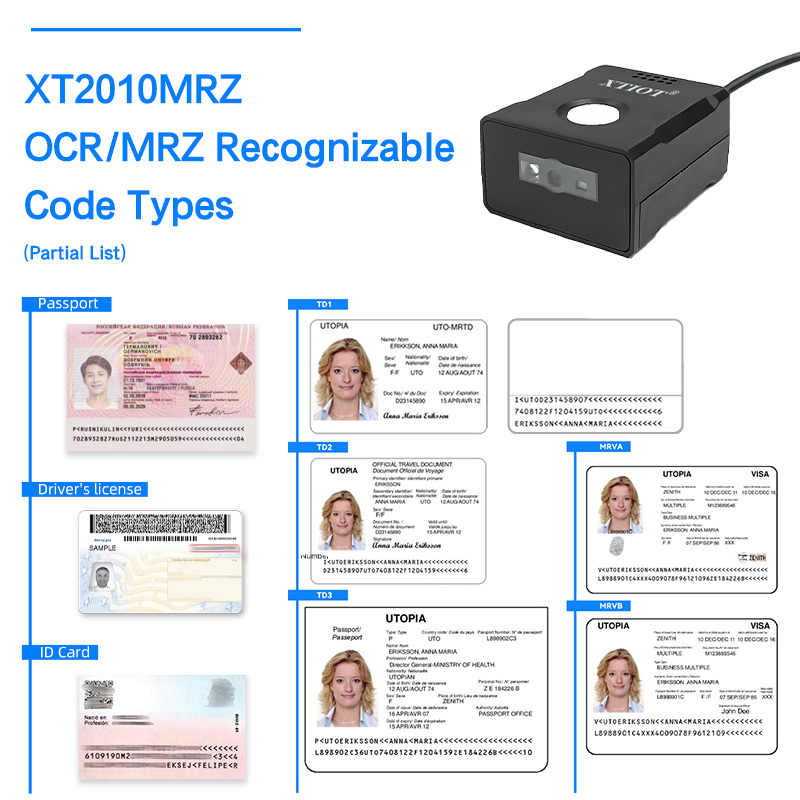
XT2010MRZ – USB Plug-and-Play
The XT2010MRZ fixed-mount passport scanner features USB HID (Human Interface Device) mode, also known as USB-keyboard emulation .
How It Works:
Simply connect the scanner to your computer via USB
The system recognizes it as a standard keyboard
Open any application (text editor, PMS, browser)
Scan a passport—data appears as if typed
No Drivers Required:
USB-HID (keyboard emulation) mode works immediately without any driver installation
No SDK needed for basic operation—the scanner outputs data directly
Compatible with Windows, Android, Linux, and MAC OS out of the box
Multiple USB Modes:
Under USB, the XT2010MRZ supports both:
USB-keyboard (HID) – plug-and-play keyboard emulation
USB-virtual serial port (VCOM) – for custom software integration when needed
What's Included:
USB cable included
No additional software or drivers to download
User manual with quick-start guide
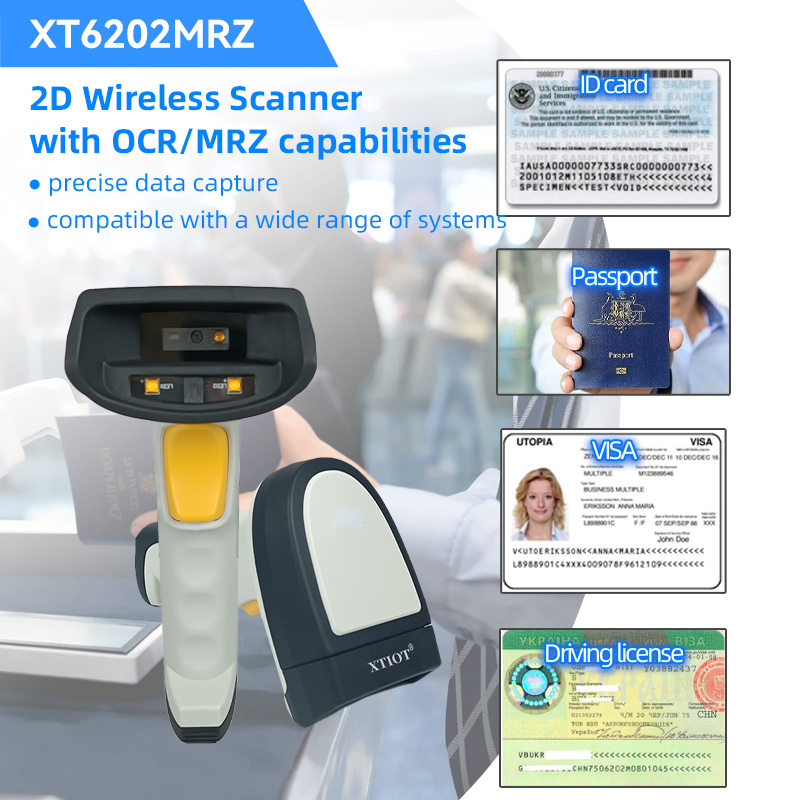
XT6202MRZ – Wireless Plug-and-Play
The XT6202MRZ wireless passport scanner is described as "即插即用,无需复杂设置" (plug and play, no complex setup required) .
How It Works:
Pair via Bluetooth or 2.4G wireless connection
Connects instantly to computers, mobile devices, or tablets
Recognized as a standard input device—no driver installation
Wireless Freedom:
2.4G wireless transmission with USB dongle
Bluetooth 4.0 for mobile device connectivity
0.3-second recognition speed once connected
No Setup Required:
No software configuration needed for basic operation
Works with any application that accepts keyboard input
Data storage for thousands of records even without connectivity
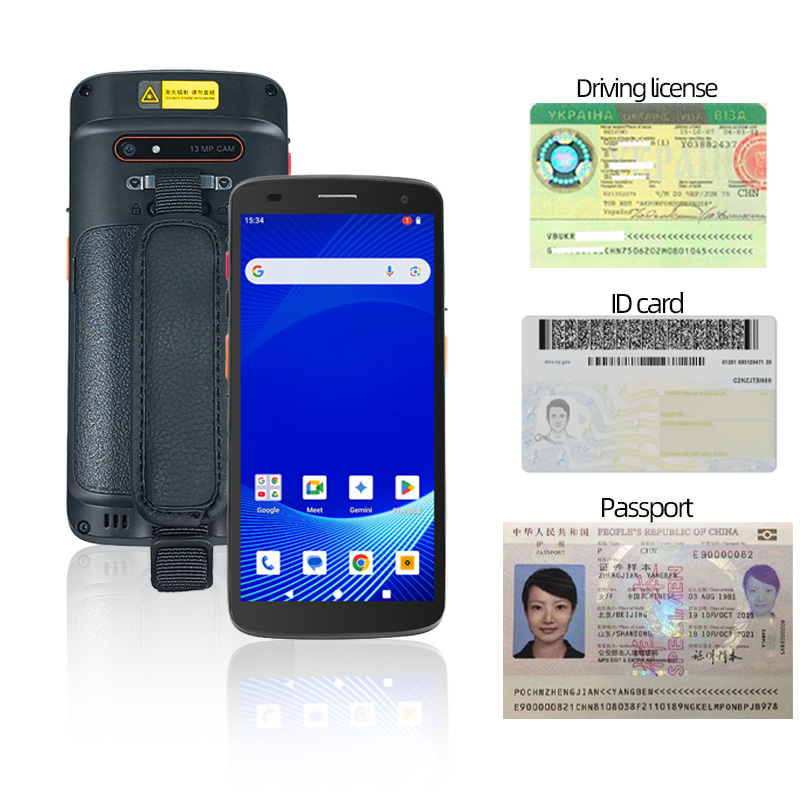
XT8002C – Android-Based with Simple Setup
The XT8002C is an Android PDA that offers immediate usability with its pre-installed Android 15 operating system .
Setup Simplicity:
Power on the device—Android is pre-loaded
Install your application from Google Play or sideload
Built-in scanner engine works with standard Android APIs
Developer-Friendly:
SDK support for custom integration
But for basic scanning, the device works out of the box with any app that accepts barcode input
Comparison: Plug-and-Play Capabilities
| Product | Connection | Plug-and-Play | Driver Required | Setup Time |
|---|---|---|---|---|
| XT2010MRZ | USB | ✓ (USB-HID) | No | < 1 minute |
| XT6202MRZ | 2.4G / Bluetooth | ✓ | No | Pair once |
| XT8002C | Integrated PDA | ✓ | No (Android built-in) | Power on |
Application Scenarios Where Plug-and-Play Matters
Hotel Front Desk
Situation: New staff member starts mid-shift; needs to scan guest passports immediately.
XT2010MRZ Benefit: Plug into front desk computer, open PMS, scan—no IT support required. Data auto-populates guest profile .
Airport Check-in Counter
Situation: Peak travel time; additional check-in stations opened rapidly.
XT2010MRZ Benefit: Staff connect scanner to any available workstation—works instantly without configuration .
Border Control Kiosk
Situation: Self-service kiosks deployed across multiple locations.
XT2010MRZ Benefit: Pre-configured USB connection ensures consistent performance without on-site technical support .
Mobile Verification Team
Situation: Staff dispatched to remote gates or off-site event locations.
XT6202MRZ Benefit: Wireless pairing takes seconds; no cables, no drivers—ready to use anywhere .
Technical Specifications for Plug-and-Play
| Feature | XT2010MRZ | XT6202MRZ |
|---|---|---|
| Interface | USB HID, USB VCOM, USB HID POS | 2.4G wireless, Bluetooth 4.0 |
| Default Mode | USB-keyboard (keyboard emulation) | Wireless HID |
| OS Support | Windows, Android, Linux, MAC OS | Windows, Android, iOS, Linux |
| SDK Required | No (optional for advanced use) | No (optional for advanced use) |
| Configuration | Programming barcodes in user manual | Simple pairing process |
| Cable | USB cable included | USB dongle included |
Summary
XTIOT passport scanners deliver true USB plug-and-play functionality:
| Customer Need | XTIOT Solution |
|---|---|
| No driver installation | USB-HID keyboard emulation works instantly |
| Works with any system | Windows, Android, Linux, MAC OS compatible |
| Immediate deployment | Connect and scan—no configuration |
| No technical expertise required | Simple as plugging in a keyboard |
| Wireless option | XT6202MRZ pairs instantly via Bluetooth |


