Shenzhen Xingtong IOT Technology Co., Ltd.
Barcode Scanner Manufacturer with development & Invention ability

The Problem with Manual Typing
Handheld inkjet printers are used to print batch numbers, serial numbers, expiration dates, and lot codes on boxes and products. But most operators still type these numbers by hand.
Typing causes errors:
One wrong digit = wrong batch number on hundreds of boxes
Transposed numbers = wrong serial number on expensive products
Misread handwriting = wrong date code on perishable goods
One typo can ruin an entire production run.
The Solution: Scan Then Print
Add a small embedded barcode scanner to the handheld printer. Operator scans a QR code or Data Matrix. The scanner reads the data. The printer prints it.
No typing means:
Zero typos
Zero transposed digits
Zero misread numbers
What the barcode says is exactly what gets printed.
How Scan and Print Works
Work order comes with QR code containing batch number
Operator picks up printer with built in scanner
Scans the QR code
Scanner reads the batch number
Operator pulls trigger
Printer prints batch number on box
Repeat for next box. Same batch number stays in memory.
Scan once. Print many times. No typing ever.
XTIOT Scan Engines for Handheld Inkjet Printers
XTIOT offers ultra compact scan modules designed to fit inside handheld printers.
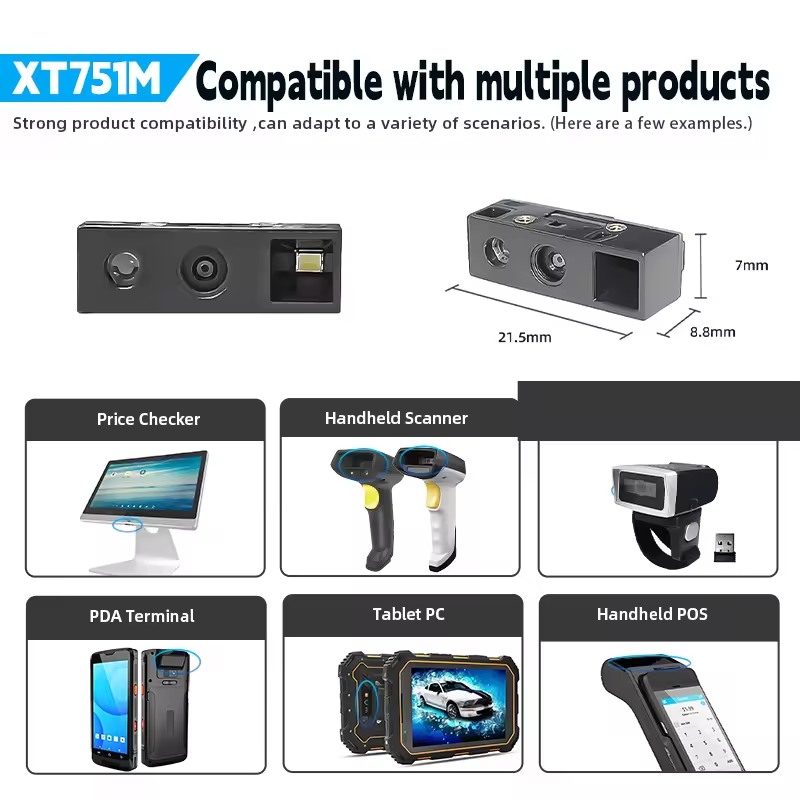
XT751M – Ultra Light Standard Model
| Feature | Specification |
|---|---|
| Weight | 1.2g |
| Resolution | 640×480 CMOS |
| Scan Speed | 300 scans per second |
| Best For | Clean QR codes on paper labels |
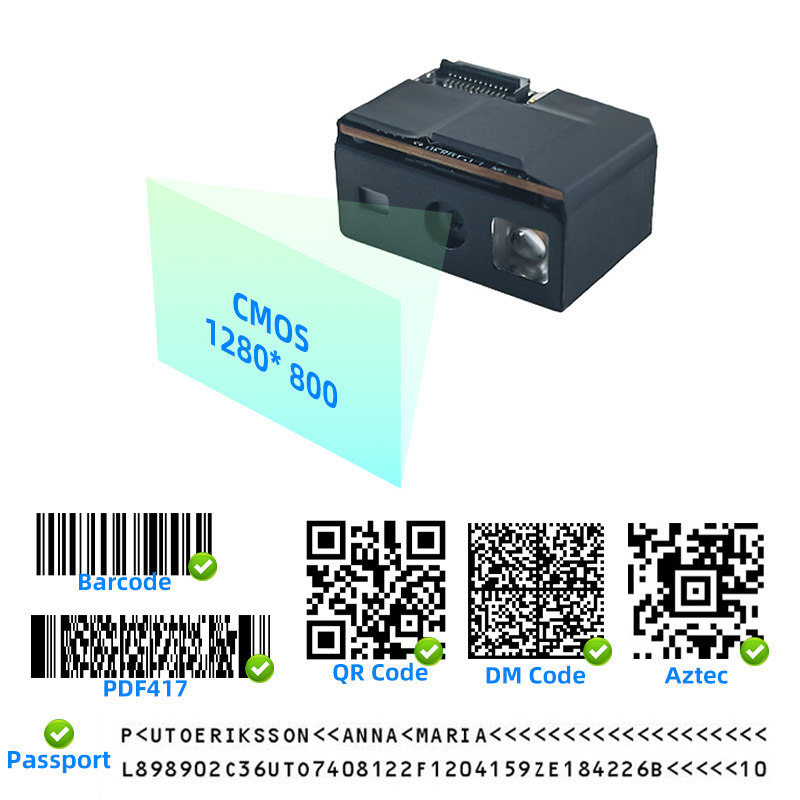
XT6996M – Premium High Resolution Model
| Feature | Specification |
|---|---|
| Weight | 3.9g |
| Resolution | 1280×800 CMOS |
| Scan Speed | 300 scans per second |
| Best For | Tiny Data Matrix codes, phone screens, damaged labels |
Which Model Should You Choose
| If you need to scan... | Choose |
|---|---|
| Clean QR codes on paper labels, standard size | XT751M |
| Tiny Data Matrix, phone screens, wrinkled or dirty labels | XT6996M |
Real World Example
Printing batch numbers on 500 boxes:
| Step | Without Scanner | With XTIOT Scanner |
|---|---|---|
| Enter batch number | Type 12 digits | Scan QR code once |
| Time per box | 10 seconds | 1 second (just print) |
| Errors per 500 boxes | 5 to 10 typos | Zero |
| Total time | 83 minutes | 8 minutes |
75 minutes saved. Zero errors.
Where Scan and Print Is Used
| Industry | What They Print | Why They Switched |
|---|---|---|
| Warehouse | Putaway date on boxes | Speed, accuracy |
| Manufacturing | Batch number on parts | Traceability |
| Food processing | Expiration date on packages | Food safety |
| Pharmaceutical | Serial number on vials | Zero tolerance for errors |
| E commerce | Order number on packages | High volume |
| Logistics | Destination code on boxes | Shipping accuracy |
Benefits for Your Business
| Without Scanner | With XTIOT Scanner |
|---|---|
| Operator types each number | Scan once, print many |
| Typing errors common | Zero errors |
| Slow on high volume | Fast batch printing |
| Operator fatigue from typing | No typing, less fatigue |
| Training required for each field | Scan any code, print any data |
Integration for Printer Manufacturers
Adding a scan engine to your handheld printer is simple:
Module fits inside existing printer housing
Simple wiring (USB, TTL, or RS232)
Basic integration with printer controller
XTIOT provides:
2D and 3D drawings for mechanical fit
SDK and API documentation
Engineering support for OEM customers
Custom cable length and pin assignment
Call to Action
Eliminate typing errors from your printing process.
Add XTIOT scan engine to your handheld inkjet printer. Your operators will scan, print, and never type again.
Contact us for sample modules and integration support.
#HandheldPrinter #ScanAndPrint #NoTypingErrors


