Shenzhen Xingtong IOT Technology Co., Ltd.
Barcode Scanner Manufacturer with development & Invention ability

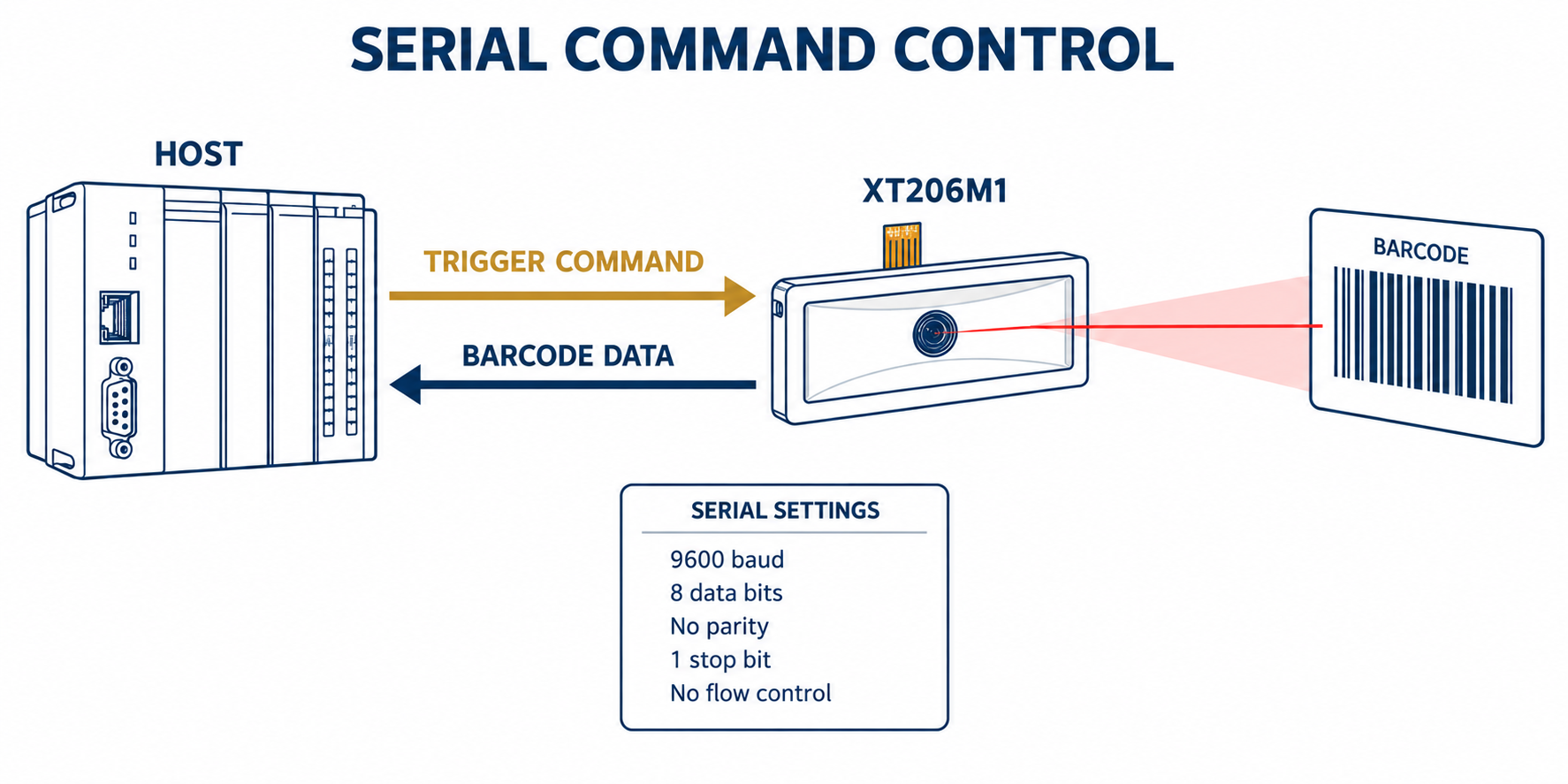
In kiosks, production machines and self-service devices, the scanner often needs to start reading only when requested by the host. A serial command barcode scanner module makes this possible without a physical trigger button.
The basic process is simple:
Connect the scanner module to the host.
Open the serial port using the correct parameters.
Send the trigger command.
Receive the decoded barcode data.
Send the stop command if required.
XT206M1 Default Serial Port Settings
Use the following default settings when communicating with the XT206M1:
| Parameter | Default Setting |
|---|---|
| Baud Rate | 9600 |
| Parity | None |
| Data Bits | 8 |
| Stop Bits | 1 |
| Hardware Flow Control | None |
The typical control sequence is:
Open serial port
Send: Trigger ON
Receive: Barcode data
Send: Trigger OFF
The trigger command must be sent in the format specified in the XT206M1 command protocol. If it is a hexadecimal command, it should be transmitted as raw bytes rather than ordinary text.
Receiving and Editing Barcode Data
After decoding a barcode, the XT206M1 returns the data through the serial interface. The output can also be configured to include:
Prefix characters
Suffix characters
Enter or Tab
Custom terminators
GS invisible characters
Selected barcode identifiers
These settings are useful when the host software requires a specific data format.
Troubleshooting
If the module does not respond, check the TX and RX connections, interface voltage level and serial port settings. Also confirm that the host is sending the correct command bytes.
Testing the complete process before installation is recommended:
Host sends trigger → XT206M1 reads code → Data returns to host
For the XT206M1 serial command protocol or integration support, contact XTIOT with your interface type and host-system requirements.


