Shenzhen Xingtong IOT Technology Co., Ltd.
Barcode Scanner Manufacturer with development & Invention ability

Copyright belongs to the author. For commercial reprints, please contact the author for authorization, and for non-commercial reprints, please indicate the source.
International Standard Book Number (ISBN for short), also known as Bookland, ISBN13, is an international number specially designed to identify books and other documents. Before January 1, 2007, the ISBN consisted of 10 digits and was divided into four parts: group number (code of country, region, language), publisher number, book serial number and inspection code. From January 1, 2007, a new version of ISBN will be implemented. The new version of ISBN consists of 13 digits and is divided into 5 segments, that is, 3 EANs are added before the original 10 digits, and the book product code is "978".
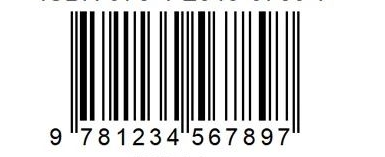
ISBNs also support 2 and 5 additional digits, usually for price purposes.
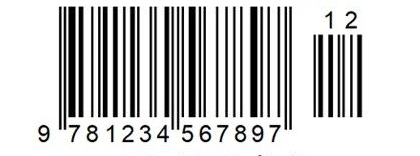
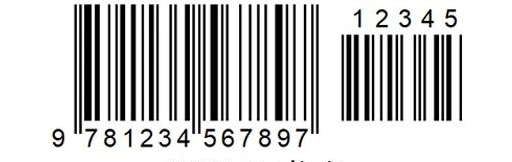
ISSN is the English abbreviation of International Standard Serial Number, which is a unique identification code assigned to serial publications of various content types and carrier types (such as newspapers, periodicals, yearbooks, etc.). The authority to assign ISSN is the ISSN International Centre (ISSN International Centre), national centres and regional centres. The ISSN International Center is headquartered in Paris, France. If our publication is to meet international standards, we must submit an application for this international number to an international institution.
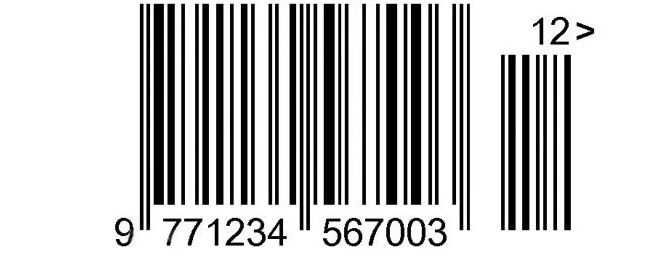
The commonly used XT7120 and XT6101 can scan the above barcodes very well, but pay attention when scanning the code, if the additional code cannot be scanned, it is not the problem with the scanner gun, but the setting of the additional code is turned off and scanning is turned on. After the additional code is set, it can be scanned.
(1).jpg)


