Shenzhen Xingtong IOT Technology Co., Ltd.
Barcode Scanner Manufacturer with development & Invention ability

A barcode may scan correctly but still produce data that the host software cannot use directly.
For example, the software may require a specific prefix, an Enter command after each scan or only part of the original barcode data. Changing the host software is not always practical, especially when the system is already deployed.
The XTIOT XT728M fixed barcode scanner can process barcode data before sending it to the host, helping the scanner output match the required format.
Common Barcode Data Formatting Requirements
Different software systems may expect different input formats. Typical requirements include:
Adding a prefix before the barcode data
Adding a suffix such as Enter, Tab, CR or LF
Removing selected characters
Keeping only the required section of the data
Replacing specified characters
Adjusting the final output format
The exact configuration depends on the barcode content and the format required by the customer’s software.
Reduce Changes to Existing Host Software
In many POS terminals, kiosks and automated machines, the software has already been developed. Modifying it only to accommodate a new barcode format may require additional development and testing.
With data editing performed inside the XT728M, the host receives data closer to its expected format. This can reduce changes on the PC, controller or application side.
The XT728M does not replace the customer’s business software. It reads and formats barcode data, while the host system remains responsible for database queries, verification and workflow control.
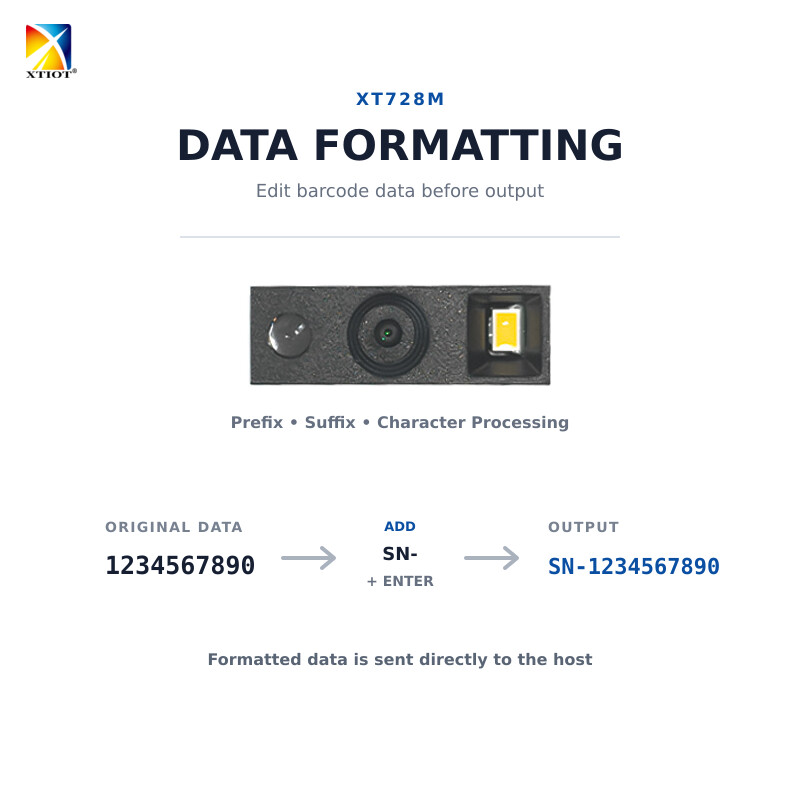
Example: Adding a Prefix and Enter Command
Suppose the original barcode contains:
1234567890
The host software expects:
SN-1234567890 followed by an Enter command.
The XT728M can be configured to add the required prefix and suffix before output. The operator scans normally, and the formatted result is sent directly to the host.
Where the XT728M Can Be Used
The XT728M is suitable for fixed scanning applications such as:
Retail POS equipment
Self-service kiosks
Production workstations
Access terminals
Automated inspection equipment
Packaging and verification stations
Equipment requiring predefined barcode output
Its fixed design is suitable for projects where the scanner is installed inside equipment or positioned at a dedicated scanning point.
Information Required Before Configuration
To confirm whether the required data format can be configured, please provide:
A clear photo or sample of the actual barcode
The complete original scan result
The required final output
The host interface
The required trigger method
The estimated order quantity
XTIOT can test the barcode and confirm the hardware configuration before mass production.
FAQ
Can the XT728M add a prefix or suffix?
Yes. Prefixes, suffixes and common control characters can be configured according to the project requirements.
Can it remove unwanted characters?
Character processing can be configured based on the original barcode data and the required output. Please send an input-and-output example for confirmation.
Does XTIOT provide the host software?
No. XTIOT supplies the scanner hardware and related communication information. The customer develops and maintains the host software.
Can the configuration be completed before shipment?
Yes. For batch orders, confirmed settings can be configured before shipment.


