Shenzhen Xingtong IOT Technology Co., Ltd.
Barcode Scanner Manufacturer with development & Invention ability

What the XT802E Does
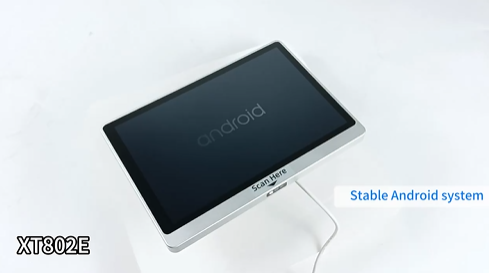
The XT802E is a 10.1 inch wall mounted self service kiosk with a built in 2D barcode scanner and an optional thermal printer. Customers scan a QR code e ticket from their phone or print a paper ticket from the kiosk.
No ticket window staff needed. Customers get their tickets in seconds.
Key Specifications
| Feature | Specification |
|---|---|
| Model | XT802E |
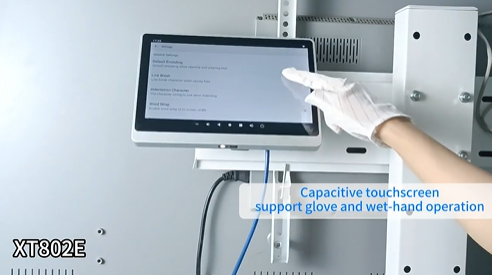
| Screen | 10.1 inch HD touch, 1280×800 |
| Scanner | Built in 2D CMOS, 640×480 |
| Scan Speed | Up to 300 scans per second |
| Reads | QR code, Data Matrix, PDF417, Code128 |
| OS | Android 11 or Linux Debian 10 |
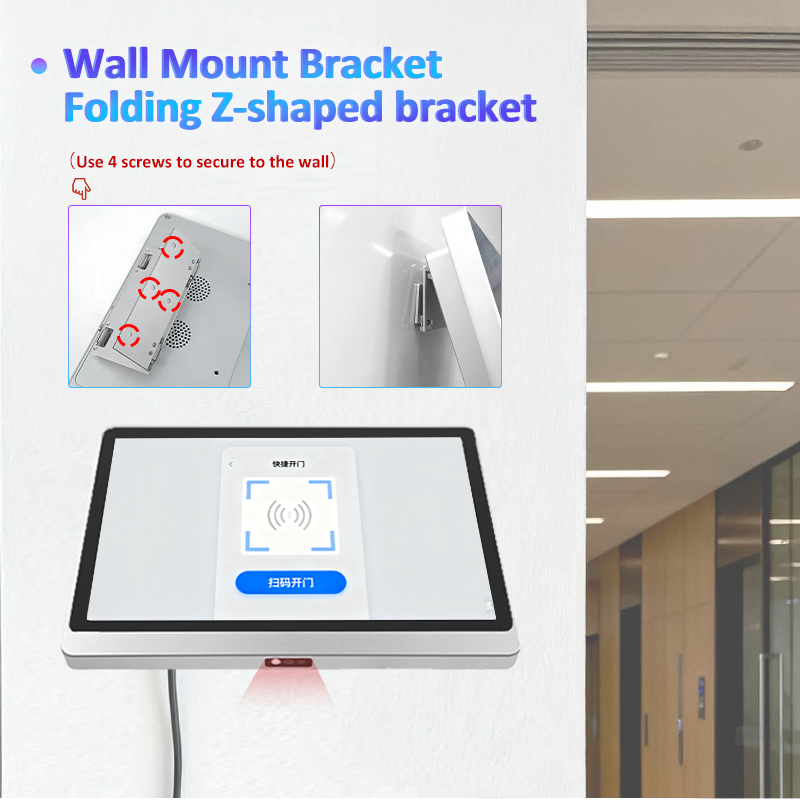
| Mounting | Z shaped wall bracket flush mount |
| Printer | Optional thermal ticket printer |
Built in Scanner – Reads E Tickets from Any Source
| Source | Code Type | XT802E Can Read It |
|---|---|---|
| Smartphone app | QR code on screen | ✓ |
| Email confirmation | QR code on phone | ✓ |
| Printed paper ticket | QR code or 1D barcode | ✓ |
| SMS ticket link | QR code on phone | ✓ |
| PDF ticket | QR code on phone screen | ✓ |
The scanner is optimized for phone screens, so dim brightness, glare, and screen protectors won‘t stop the scan.
How Ticketing Works
E Ticket Scan Only (No Printer)
Customer buys ticket online, receives QR code by email or app
Customer arrives at venue, opens QR code on phone
Holds phone under scanner
Scanner reads QR code in 0.3 seconds
System validates ticket, entry granted
Gate opens or staff sees green light on screen
Print Paper Ticket
Customer buys ticket online, gets confirmation QR code
Customer arrives at kiosk, scans QR code from phone
Kiosk validates ticket, prints paper ticket
Customer takes ticket to entrance
Where to Install
| Venue | Location | Purpose |
|---|---|---|
| Cinema | Lobby wall | Print tickets or scan mobile tickets |
| Concert hall | Entrance vestibule | Self service ticket pickup |
| Train station | Near platforms | Print boarding passes |
| Bus terminal | Waiting area | Scan e tickets for boarding |
| Museum | Entrance wall | Scan timed entry tickets |
| Sports stadium | Gate entrance | Scan season pass or single game tickets |
| Theme park | Entry plaza | Print day passes or scan annual passes |
Why Venues Choose XT802E
| Problem | Solution |
|---|---|
| Long lines at ticket window | Self service kiosk handles pickup and scanning |
| Customers lose paper tickets | E ticket on phone works, kiosk reprints if needed |
| Staff costs for ticket checking | Self scanning reduces headcount |
| Phone screen won‘t scan at gate | Optimized scanner reads dim and glare screens |
| Will call line at sold out show | Kiosks for ticket pickup |
Ticket Validation Workflow
Step 1 – Customer arrives
Customer opens ticket QR code on phone or brings confirmation email
Step 2 – Scan at kiosk
Customer holds phone under scanner or places paper ticket on scan window
Step 3 – System validates
Kiosk checks ticket against database: valid date, not used, correct venue
Step 4 – Entry granted
Screen shows green check mark, gate unlocks or staff sees confirmation
Step 5 – Ticket marked used
System records that ticket is now used, cannot be scanned again
Connectivity
| Feature | Use |
|---|---|
| Ethernet | Main connection to ticketing system |
| WiFi | Where Ethernet is not available |
| PoE | One cable for power and network |
| USB | External printer or keyboard |
Hardware Highlights
| Feature | Benefit |
|---|---|
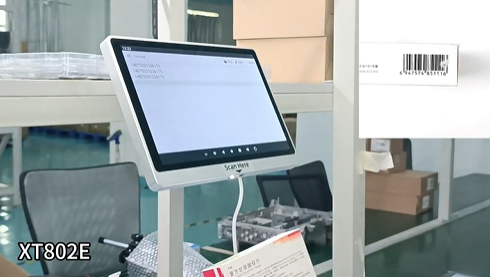
| Built in scanner | No external device, clean install |
| 300 scans per second | Fast entry, no queue at kiosk |
| Reads phone screens | Works with all mobile tickets |
| Thermal printer option | Print paper tickets for customers without phones |
| Flush wall mount | Saves floor space in venue lobbies |
| Aluminum alloy | Durable for high traffic venues |
| PoE option | One cable, no electrician needed |
Example Venue Workflow
Cinema lobby:
Customer buys ticket online for 7 PM show
Receives QR code by email
Arrives at cinema, walks to XT802E kiosk
Holds phone under scanner
Kiosk shows: “The Batman, 7 PM, Seat C12”
Customer confirms, kiosk prints ticket (optional)
Customer shows printed ticket to usher or scans phone again at door
Time from arrival to ticket in hand: Under 30 seconds
OEM Customization
| Customization | MOQ |
|---|---|
| Custom logo on kiosk | 1,000 pieces |
| Custom color | 100 pieces |
| Pre loaded ticketing app | Contact sales |
Need a ticketing kiosk for your venue that scans mobile tickets and prints paper tickets? Contact XTIOT for specs and integration support.
#TicketingKiosk #ETicketScanner #SelfServiceTicketPrinter


