Shenzhen Xingtong IOT Technology Co., Ltd.
Barcode Scanner Manufacturer with development & Invention ability

What the XT802E Does
The XT802E is a 10.1‑inch wall‑mount self‑service kiosk with a built‑in 2D barcode scanner. Patrons scan their library card, then scan each book‘s barcode. The kiosk checks out the items, updates the library system, and prints a due date slip – all without staff assistance.
No waiting at the circulation desk. Staff focuses on helping patrons, not scanning books.
Key Specifications
| Feature | Specification |
|---|---|
| Model | XT802E |
| Screen | 10.1″ HD touch, 1280×800 |
| CPU | RK3566 quad‑core, 1.8GHz |
| RAM / Storage | 4GB + 64GB |
| Scanner | Built‑in 2D CMOS, 640×480 |
| Scan Speed | Up to 300 scans/sec |
| Reads | 1D (Code128, EAN‑13, Code39) + 2D (QR, PDF417) |
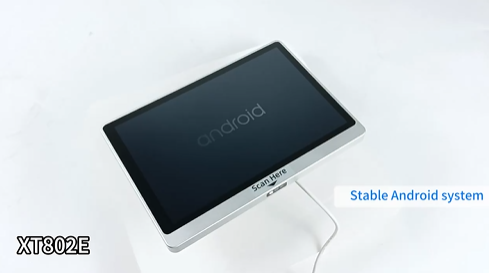
| OS | Android 11 (default) or Linux Debian 10 |
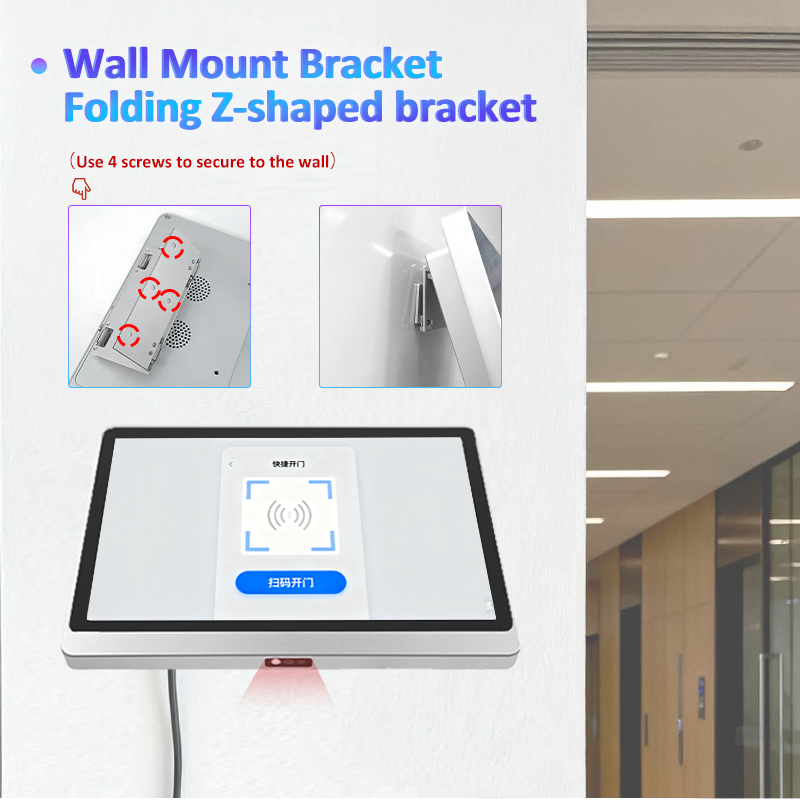
| Mounting | Z‑shaped wall bracket (flush mount) |
| Material | Aluminum alloy |
Built‑in Scanner – Optimized for Library Barcodes
| Item | Code Type | XT802E Can Read It? |
|---|---|---|
| Library card (plastic) | 1D barcode (Code128/Code39) | ✓ |
| Book barcode (inside cover) | 1D barcode (typically Code39) | ✓ |
| Worn / curved book labels | 1D barcode (labels on spines) | ✓ (wide FOV, reads curved surfaces) |
| Digital library card (phone app) | QR code | ✓ (optimized for phone screens) |
| Hold pickup notification | QR code on email | ✓ |
How Library Self‑Checkout Works
Step 1 – Patron identification
Patron scans library card barcode (plastic card or digital QR in app)
Kiosk identifies patron, checks account status (fines, blocks)
Step 2 – Scan books
Patron places book (spine or inside cover) under scanner
Reads book barcode → title appears on screen
Repeat for all books (up to 300 scans/sec – no waiting)
Step 3 – Complete checkout
Tap “Checkout” on touchscreen
Kiosk sends transaction to library system
Prints due date slip (optional)
Patron leaves with books
Total time: 30‑60 seconds for 10 books
Where to Mount
| Location | Placement | Purpose |
|---|---|---|
| Circulation desk area | Wall beside desk | Reduce queue at staffed desk |
| Children‘s section | Low‑height mount | Easy access for kids |
| Library entrance | Wall near exit | Checkout before leaving |
| Study room area | Wall near study rooms | Self‑service for students |
| 24‑hour library vestibule | Entrance wall | After‑hours checkout |
Why Libraries Choose XT802E
| Problem | Solution |
|---|---|
| Long lines at circulation desk | Self‑service kiosk handles 80% of checkouts |
| Staff time spent scanning books | Staff focus on reader‘s advisory, not scanning |
| Worn book labels hard to scan | Wide FOV + high sensitivity reads curved/worn labels |
| Patrons lose library cards | Digital card in app – scan phone screen |
| After‑hours service needed | Self‑service kiosk works 24/7 |
| Limited counter space | Wall‑mount, flush, ultra‑thin |
Connectivity
| Feature | Use |
|---|---|
| Ethernet | Primary connection to ILS (Integrated Library System) |
| WiFi | Where Ethernet isn‘t available |
| PoE+ | One cable for power + network – simple installation |
| USB | Receipt printer, external keyboard |
Integration with Library Systems
XT802E works with any ILS that accepts keyboard input (SIP2 / NCIP via backend). The scanner sends patron ID and book barcodes as typed text – no SDK required for basic operation.
SIP2 compatible via standard terminal interface
NCIP compatible via serial/USB input
Works with: Polaris, Sierra, Alma, Koha, Destiny, and other major ILS platforms
Hardware Highlights
| Feature | Benefit |
|---|---|
| Built‑in scanner | No external scanner – clean desk |
| 300 scans/sec | Fast checkout – no queue |
| Wide field of view | Reads curved book spines, worn labels |
| Reads phone screens | Digital library cards |
| Flush wall mount | Saves counter space |
| PoE+ option | One cable – no electrician needed for outlet |
| Aluminum alloy | Easy to clean, durable for public use |
OEM Customization
| Customization | MOQ |
|---|---|
| Custom logo | 1,000 pieces |
| Custom color | 100 pieces |
| Pre‑loaded library app | Contact sales |
Need a self‑checkout kiosk for your library? Contact XTIOT for engineering specs and ILS integration support.
#LibrarySelfCheckout #BookScanner #LibraryKiosk


